
Bushnell Launch Pro: Serious Shot Data Without the Full Tour Truck

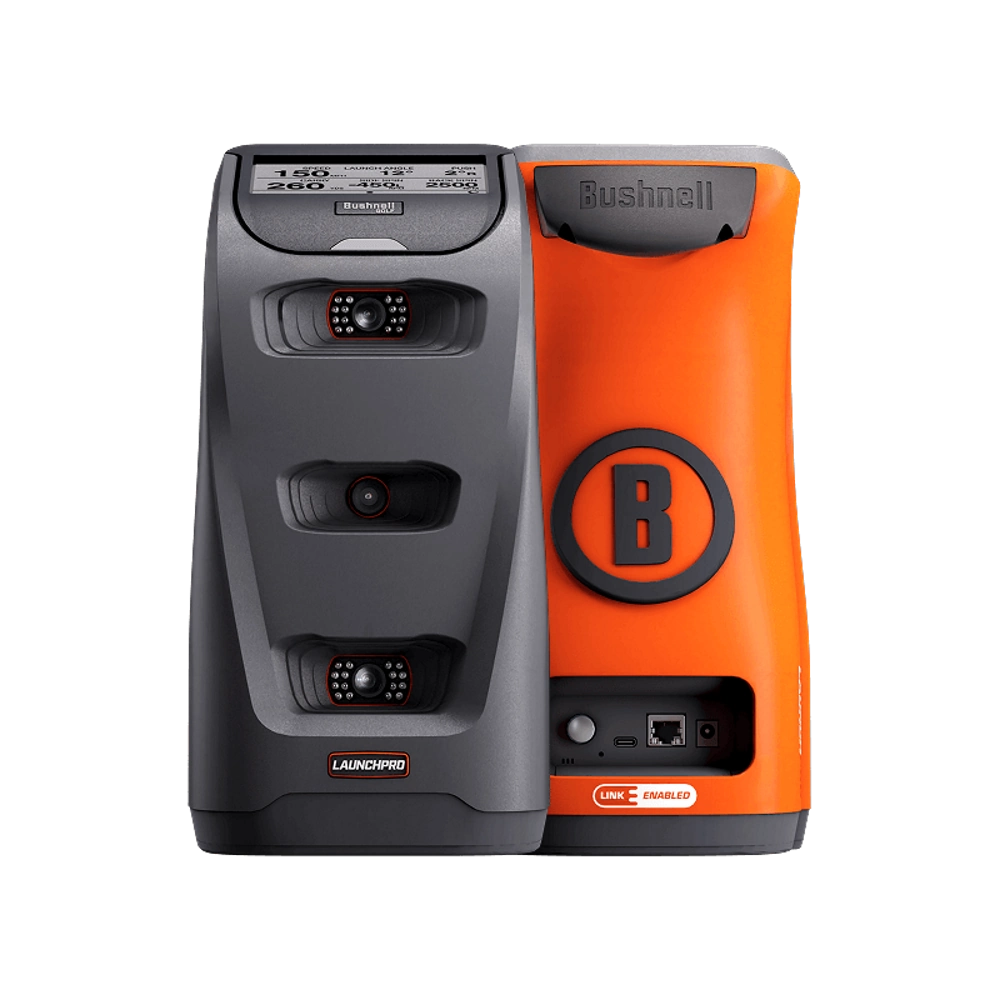
The Bushnell Launch Pro sits in an interesting spot between compact consumer launch monitors and the far more expensive systems found in fitting studios. It is a camera-based unit built around the same general platform as Foresight Sports hardware, with three high-speed cameras and infrared tracking positioned beside the golf ball. Instead of watching the ball travel from several feet behind the player, it studies the instant of impact from close range. That makes it especially appealing for golfers who practice indoors, have limited room behind the hitting area, or simply want reliable numbers without carefully measuring radar alignment every session.
Bushnell currently lists the Launch Pro at $2,499.99, so this is not an impulse purchase for the occasional range visitor. It is aimed at serious golfers, home-simulator owners, instructors, club fitters, and devoted practice nerds who enjoy knowing exactly why a shot flew the way it did. Still, it is not reserved for scratch players. A mid-handicap golfer trying to learn real carry distances can get plenty from it. So can someone who wants winter golf in the garage without turning the space into a commercial studio. The key is accepting that the monitor itself is only part of the overall cost.
Design, Setup, and Everyday Usability
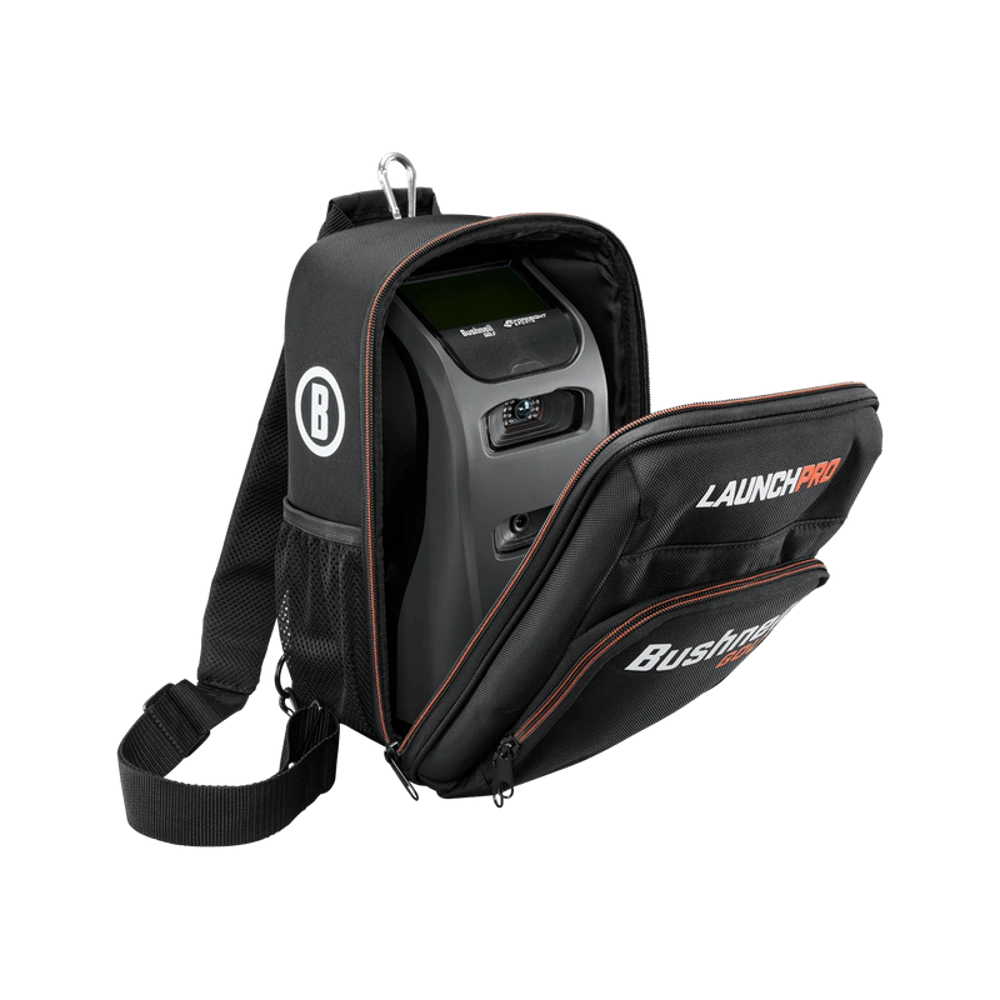
Physically, the Launch Pro feels more like professional equipment than a pocket-size golf gadget. It stands about a foot tall, weighs roughly five pounds, and has a sturdy shape that is easy to place beside the ball. The three cameras face the hitting zone, while the built-in touchscreen provides immediate access to settings and shot numbers. It is substantial enough to stay planted during a session, yet portable enough to carry between a garage, backyard net, and driving range. A dedicated case makes sense for frequent travel because this is calibrated optical hardware, not something that should bounce around loose in a trunk.
Setup is pleasantly direct. Position the unit beside the hitting area, use the included alignment stick to aim it, select right- or left-handed mode, and place the ball inside the visible hitting zone. The compact capture area is one of the reasons the Launch Pro works well indoors. It does not need a long runway behind the golfer or a large stretch of ball flight in front of the mat. Battery life is rated at about five to seven hours, which is enough for a lengthy range session or an afternoon of simulator golf. Connectivity includes Wi-Fi, Ethernet, and USB-C, although full simulator use adds a Windows gaming PC to the equation.
Camera Accuracy and Shot Capture
Accuracy is the central reason to consider the Launch Pro. Plenty of lower-priced launch monitors can produce useful estimates, especially outdoors with plenty of room, but the Launch Pro is designed to measure what happens at impact from a few feet away. Its three-camera system captures the club and ball in the hitting zone, then reports the resulting launch conditions. In practical terms, this tends to make the unit far less dependent on room depth than radar-based systems. It also means the player does not need to wonder whether a low ceiling, short ball flight, or nearby wall is confusing the monitor.
The best compliment for a launch monitor is boring consistency. Put down a ball, wait for the ready indicator, hit, and receive a number. The Launch Pro is built for exactly that rhythm. It can be used indoors or outdoors, and Bushnell specifically promotes its performance in changing light. No device is immune to poor placement, dirty lenses, damaged club stickers, or careless alignment, but the basic capture process is straightforward. Misreads can still happen, especially when the ball is outside the designated zone, yet the experience is generally less fussy than systems that need more distance to observe the shot. For golfers working on partial wedges or small swing changes, dependable capture is more valuable than flashy graphics. Bad data makes practice worse. Reliable data gives every bucket of balls a purpose.
Ball Data and Club Data in Real Practice
The Launch Pro provides the ball measurements most golfers actually need: carry distance, ball speed, total spin, vertical launch angle, horizontal launch angle, spin-axis information, backspin, and sidespin. Additional information in the app includes items such as apex, descent angle, offline distance, curvature, and hang time. It is a deep set of numbers, but it does not need to feel like a physics exam. Carry distance helps with gapping. Launch and spin show whether a driver setup is producing a useful flight. Horizontal launch and spin direction help separate a face-angle problem from a swing-path problem. Suddenly, “it went left” becomes a much more useful diagnosis.
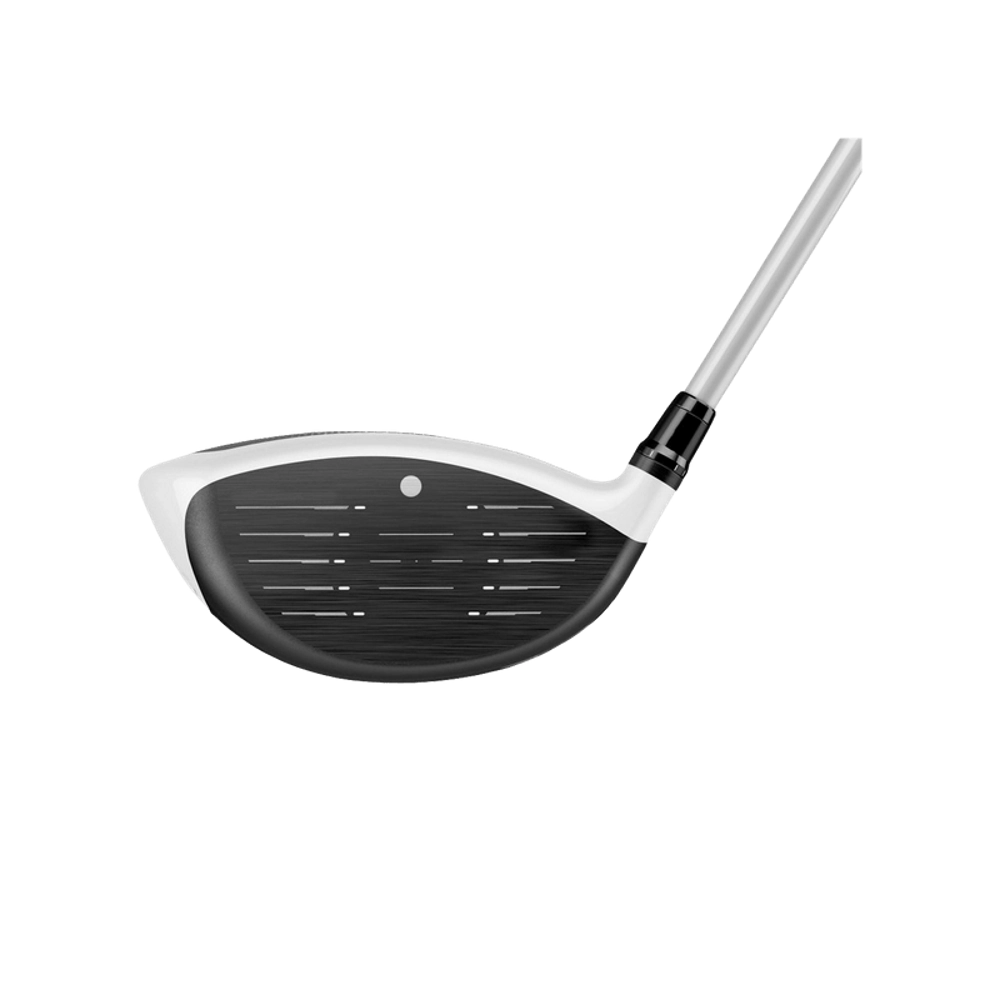
Club data includes clubhead speed, smash factor, club path, and angle of attack. These readings require reflective club markers and an active Silver or Gold subscription under the current plan structure. The markers add a tiny preparation step, although it quickly becomes routine for a focused practice session. Club path and angle of attack can be especially revealing. A player may feel as though the club is traveling dramatically from the inside when the number says otherwise. Driver contact can also be evaluated through ball speed and smash factor rather than guesswork. There is a slight danger of drowning in numbers, of course. The smartest approach is to select two or three measurements tied to a specific goal instead of chasing every metric on the screen.
Indoor Simulator Experience and Software
The Launch Pro can function as a stand-alone practice tool, but its indoor-simulator capability is a major part of the appeal. With an eligible subscription and a compatible Windows gaming PC, it works with Foresight’s FSX Play environment for virtual range sessions and course play. FSX Pro focuses more heavily on shot analysis, session review, and performance work. The result can be as simple as hitting into a net while checking a laptop, or as elaborate as a dedicated room with an impact screen, projector, turf, enclosure, and surround sound. Budget tends to decide where things land.
Simulation is where ownership can become both fun and expensive. The monitor delivers the shot information, but convincing visuals require a capable computer and a properly planned room. Bushnell notes that Mac computers do not run its full simulator software, so buyers committed to macOS should factor in a separate Windows system. Gold subscribers can also access supported third-party integrations, though those programs are sold separately. GSPro is one prominent example, and Bushnell currently notes a separate annual price for it in addition to the Gold requirement. The software ecosystem offers real choice, but it also creates layers of accounts, renewals, downloads, and hardware requirements. Once configured, the experience can be excellent. Getting there is not always as simple as plugging in a console.
Outdoor Range Use and Portability
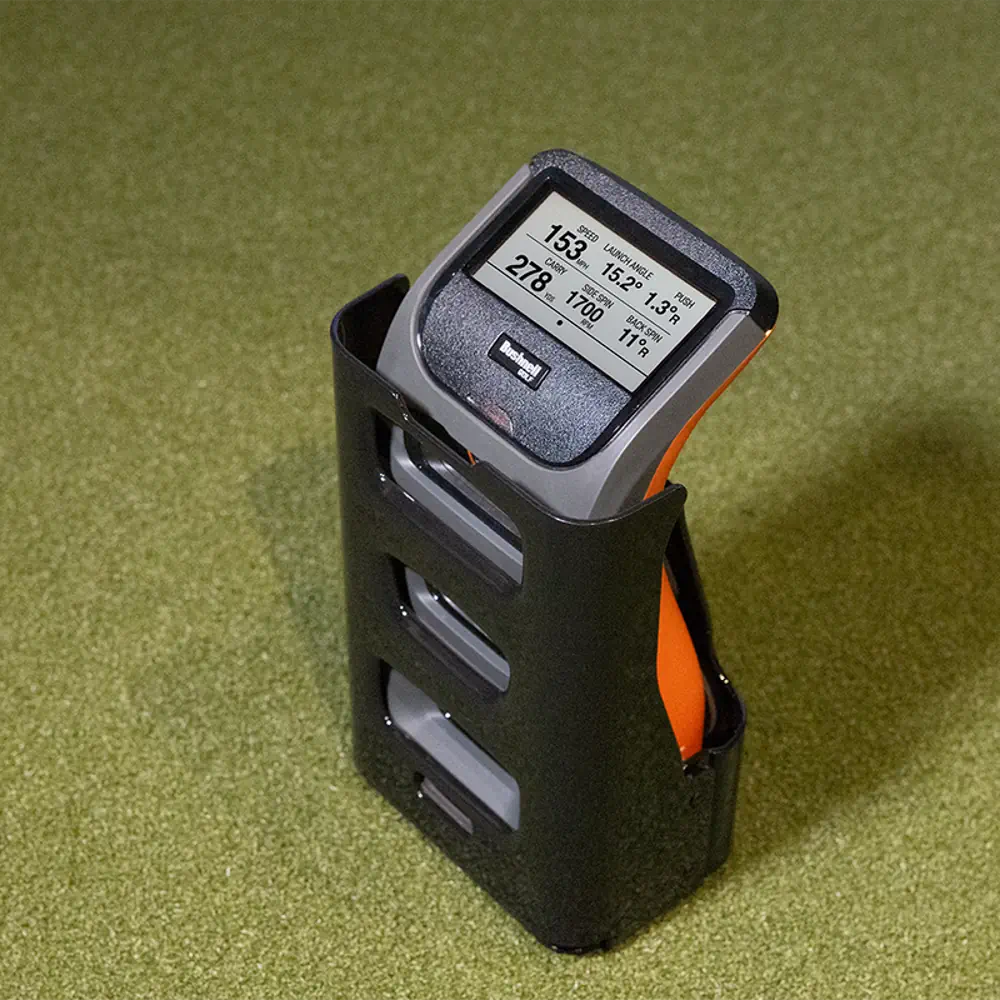
Although home simulation gets most of the attention, the Launch Pro is also a strong range companion. The onboard screen means a golfer can use it without opening a laptop after every swing. Place it next to the ball, confirm alignment, and work through the bag while watching carry, launch, speed, and spin. This is particularly useful for building a trustworthy distance chart. Range signs and flags are not precise enough for serious gapping, and range balls can behave differently from premium balls, but consistent measured data still reveals useful patterns across clubs.
The side-mounted design also keeps the area behind the player clear. That is convenient on crowded practice tees and helpful when a radar unit would otherwise require several feet of protected space. Five pounds is portable, although nobody will confuse it with a phone-sized monitor. A carrying case and a little care are sensible. The device uses carefully calibrated cameras, and the manual advises against drops, impacts, moisture, heavy dust, and rough storage. Battery life should cover most outings, but regular users will want to charge it before leaving home. There is also a practical left-handed and right-handed consideration. When players switch sides, the unit has to be moved to the opposite side of the ball, which can interrupt a shared session more than a rear-positioned radar monitor would.
Subscription Costs and the Real Price of Ownership
The Launch Pro’s subscription structure deserves attention before purchase because it changes what the hardware can do. The free level provides full ball data and app access, so the monitor does not become useless without an annual payment. That is important. A golfer focused on carry, speed, spin, and launch can still use the device as a serious stand-alone tool. Silver currently costs $199 per year and adds full club data, FSX Play simulation with an included course selection, FSX Pro analysis, and Pinseeker access. Gold costs $499 per year and adds access to supported third-party software integrations, which are still purchased separately.
A 14-day Gold trial is included with the Launch Pro, allowing new owners to explore the broader software package before settling on a plan. Let’s be honest, the catch is that trial periods pass quickly when a simulator room is still being assembled. It is worth installing the software and preparing the computer before activating everything. Buyers also need to remember the surrounding costs. A gaming PC, hitting mat, net or screen, projector, enclosure, protective case, and optional third-party software can push the total far beyond the monitor’s $2,499.99 list price. This pricing model is not automatically unreasonable because the free tier remains useful, but the annual fees can feel irritating after paying premium hardware money. Know which features are essential. Then price the full setup, not just the orange box.
Drawbacks, Limitations, and Small Annoyances
The most obvious drawback is cost. The Launch Pro is expensive before a simulator computer or annual software plan enters the picture. It is also locked into a more structured ecosystem than simpler launch monitors. Registration, firmware updates, subscriptions, and software accounts are part of ownership. Bushnell states that the U.S. version needs an internet connection within the United States at least once every 45 days to maintain all functions. Travelers and international buyers should take that restriction seriously rather than assuming the unit will work normally anywhere.
The one-year limited warranty also feels modest for hardware at this price, and device returns are subject to a restocking fee based on condition. The monitor is portable, but it is not tiny. Shared sessions with both right- and left-handed golfers require repositioning it. Club measurements require stickers, which is easy enough at home but less spontaneous when several clubs or players are involved. Simulator software is Windows-focused, and demanding graphics can mean buying a stronger PC than expected. Finally, the amount of available data can encourage unproductive tinkering. A golfer can spend an hour chasing a perfect spin number while ignoring strike quality and target control. The Launch Pro provides sharp information. It cannot decide which information deserves attention.
Final Verdict: Who Should Buy the Launch Pro?
The Bushnell Launch Pro makes the most sense for golfers who value dependable impact data and expect to use it often. It is particularly well suited to indoor practice because the camera-based design needs very little ball-flight space. Serious range users will appreciate the onboard display and measured spin. Home-simulator builders get a capable foundation that can grow from a basic net setup into a full projection room. Coaches and club fitters may also find the combination of ball and club information useful, although their software needs should be priced carefully.
It is harder to recommend for a casual golfer who wants occasional distance estimates, or for someone who dislikes subscriptions on principle. Less expensive monitors can be perfectly enjoyable when the goal is entertainment rather than detailed practice. The Launch Pro earns its price by being trustworthy, compact in use, and flexible across indoor and outdoor environments. It does not make improvement automatic. Nothing does. What it offers is a clearer connection between the swing, the strike, and the resulting ball flight. For the golfer who will actually study those patterns, build structured practice sessions, and use the simulator through bad weather, it can justify the investment. For everyone else, the total ownership cost may be more serious than the practice plan.